Do I Need a DAC? A Beginner's Guide to Audio Quality

Affiliate disclosure: Some links on this page are affiliate links. If you buy through them we earn a small commission at no extra cost to you. Recommendations are research-driven; we don't claim personal use of every product reviewed. Product prices and availability are accurate as of the date published and are subject to change. Always check Amazon for current pricing before purchasing. Learn more.
| Product | Price Range | Top Strength | Key Weakness | Buy |
|---|---|---|---|---|
| Topping E50 II also consider | $$ | AK4497S DAC with LDAC Bluetooth and app control | No headphone output, so it needs a separate amplifier | Buy on Amazon |
| iFi Zen DAC 3 Desktop Digital Analog Converter Black Stealth also consider | $ | iFi British audio design with support for MQA and DSD | Measurements not as class-leading as Topping at similar price | Buy on Amazon |
If you’ve ever plugged a nice pair of headphones into your laptop and felt like something was missing, you’ve probably stumbled into the DAC question.
The short answer is: it depends on what you’re plugging in and what you’re hearing. The longer answer is what the rest of this piece is for. If you’re new to the hobby, the Audiophile Basics hub is a solid place to start building context before going further.
What a DAC Actually Does
DAC stands for Digital-to-Analog Converter. Every device that plays audio already has one built in. Your laptop has one. Your phone has one. Your gaming console has one. The question isn’t whether you have a DAC. The question is whether the one you have is good enough for your use case.
Digital audio files store sound as binary data. Strings of ones and zeros. Before that signal reaches your headphones or speakers, something has to translate it into an analog electrical signal. That’s the DAC’s job. The quality of that conversion affects noise floor, channel separation, distortion levels, and, in some cases, audible coloration.
Most built-in DACs are fine for casual listening. They’re designed with cost and form factor in mind, not audio performance. Laptop audio chips in particular tend to pick up interference from other internal components, which can introduce audible hiss or channel imbalance, especially with sensitive IEMs or high-impedance headphones.
A dedicated external DAC moves that conversion job outside the computer, away from internal noise sources, and typically delivers cleaner measurements. Whether you’ll hear the difference depends heavily on your headphones, your hearing, and your listening environment.
Do You Actually Need One?
Honest answer: probably not immediately. If you’re running budget earbuds or a portable Bluetooth speaker, an external DAC won’t be the most meaningful upgrade you can make. The bottleneck is elsewhere.
But if you’ve moved into headphones that cost more than a few weeks of coffee, or if you’re using planar magnetic headphones, the answer shifts. Planar magnetics in particular tend to be harder to drive than dynamic headphones of similar impedance, so source quality matters more for them. Whether the difference justifies the complexity of a dedicated setup depends on how serious you are. For anyone entering the hobby with dynamic headphones below the mid-range price band, it makes sense to try the source you already have first.
Here’s a quick set of questions to help you decide:
- Are you hearing audible hiss at normal listening volumes?
- Do your headphones have an impedance above 150 ohms or unusual sensitivity specs?
- Are you using planar magnetic headphones?
- Are you using a source chain that might be picking up internal interference (laptop, desktop motherboard)?
- Are you planning to add a dedicated headphone amplifier anyway?
If you answered yes to two or more of those, a dedicated DAC is worth serious consideration.
Understanding DAC Measurements
Published measurements are the most reliable guide to DAC performance, and Audio Science Review (ASR) is the best-known source of consistent DAC measurements. For IEM-specific frequency response data, Crinacle’s database is a common reference. The numbers that matter most for DAC performance are:
SINAD (Signal-to-Noise and Distortion). This is ASR’s primary ranking metric. Higher is better. Most competent modern DACs measure well above the threshold of audibility. The differences between a top-measured mid-range DAC and a flagship are often below what human hearing can resolve.
THD+N (Total Harmonic Distortion plus Noise). Distortion added during conversion. Well-designed modern chips keep this vanishingly low.
Channel separation and crosstalk. Affects stereo imaging. Relevant if you’re hearing the left channel bleed into the right.
None of this means measurements are the whole story. But for a product category where the audible differences between competent units are genuinely subtle, measurements are the most reliable guide we have.
Buying Guide: Choosing the Right DAC for Your Setup
Know Your Headphones First
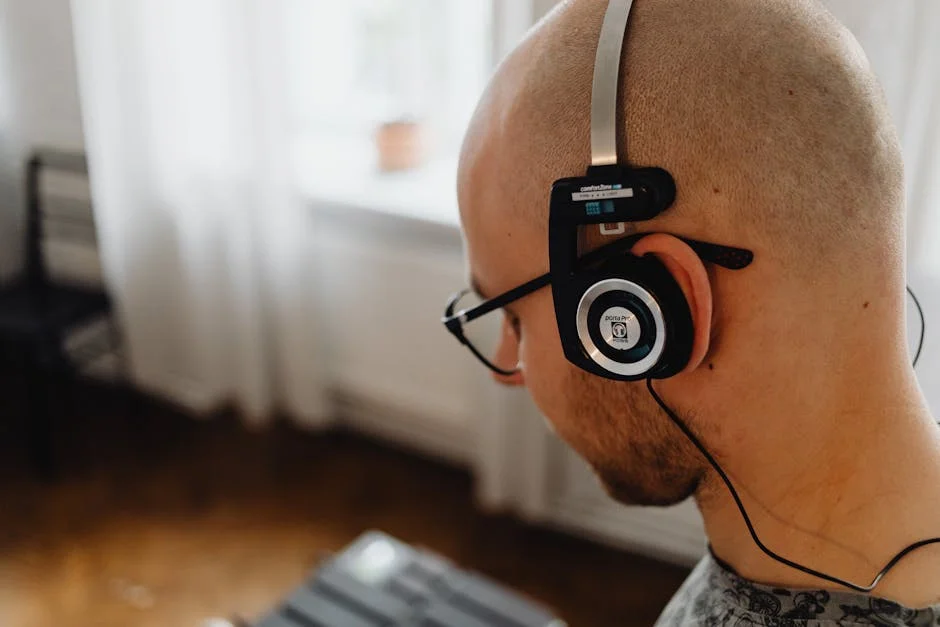
Before buying a DAC, identify what your headphones actually need. High-impedance dynamic drivers like the HD600 are relatively forgiving of source quality but benefit from adequate voltage. Planar magnetics like the HiFiMan Sundara are more current-hungry and more sensitive to source noise.
If you’re using sensitive IEMs, noise floor becomes a priority. If you’re driving demanding planars, output power matters more. The Audiophile Basics guides at /learn/ cover headphone impedance and sensitivity in more detail. Starting there will help you match a DAC and amp to what you already own, rather than buying blind.
Separates vs. Combo Units
A DAC/amp combo unit does both jobs in one box. This is the right starting point for most people. It’s simpler, usually less expensive in total, and takes up less desk space. The trade-off is flexibility. If you want to upgrade one component later without replacing the other, separates give you that option.
For someone building a desktop system from scratch at the budget-to-mid price band, a combo unit is often the smarter first purchase. Go separates when you have a specific reason to, not because separates sound more serious.
Output Type and Compatibility
Check what output connections the DAC provides and whether they match your amp’s inputs. Most budget and mid-range DACs offer RCA outputs. Some offer balanced XLR. Balanced connections can offer lower noise over longer cable runs, though on a desktop where your DAC and amp are a foot apart, the practical difference is minimal.
Check how the DAC connects to your source. USB is the most common and most convenient. Some DACs also offer optical or coaxial inputs, which can be useful if you’re connecting a TV, a CD transport, or a gaming console alongside your computer.
Budget Expectations by Tier
At the budget price band, you’re getting competent chip-based conversion with good measurements and basic I/O. The audible performance floor at this tier is already very high. Most listeners in honest blind tests cannot reliably identify differences between a well-measuring budget DAC and something costing significantly more.
At the mid price band, you’re typically getting balanced outputs, better build quality, and in some cases higher chip specifications. Whether those translate to audible improvements is genuinely debatable. What you do get is more flexibility and, in some cases, better long-term pairing options with higher-tier amplifiers.
At the premium tier and above, you’re paying for features, aesthetics, build quality, and sometimes diminishing returns.
When to Skip the DAC Entirely
If you’re using a phone with a USB-C output and a dongle DAC for portable IEMs, you likely don’t need a desktop DAC at all yet. Modern dongle DACs from reputable brands measure extremely well and cost very little. If your use case is primarily portable or on-the-couch listening without demanding headphones, a desktop DAC/amp stack may be solving a problem you don’t have.
Spend the money on better headphones first. Every time. The transducer is where the biggest audible differences live.
Top Picks
Topping E50 II
The Topping E50 II is a desktop DAC built around the AK4497S chip, with PCM768kHz and DSD512 support, LDAC Bluetooth input and app control. It is the current successor to the original Topping E50, which is no longer available new on Amazon. It is aimed at system builders who want a no-nonsense DAC with a measurement-focused design.
The E50 II has no headphone output. It is a DAC only, so you will need a separate amplifier. If you are not ready for separates, look at a combo unit instead.
Check current price on Amazon.
iFi Zen DAC 3
The iFi Zen DAC 3 Desktop Digital Analog Converter Black Stealth takes a different approach. Where the Topping E50 II is a pure DAC aimed at system builders, the Zen DAC 3 is a combo unit: DAC and headphone amplifier in one box, aimed at budget-to-mid tier buyers who want a single-unit solution.
The headline feature that sets it apart from competitors is the balanced 4.4mm Pentaconn headphone output at a budget price point. Balanced headphone output at this price band is genuinely unusual and gives it a compelling spec advantage for anyone already running balanced headphone cables.
iFi also includes its TrueBass feature, which is essentially a low-frequency boost toggle. It is optional, and it colours the sound, so it is best left off if you want a neutral signal.
The measurement picture is worth addressing honestly. The Zen DAC 3 is not positioned as a measurement leader, and if measured performance is your primary criterion a Topping DAC is the usual choice. What iFi offers instead is brand pedigree, a distinct design philosophy, and the combo convenience of not needing a separate amp.
Check current price on Amazon.
Closing Thoughts
If your current source is introducing audible noise, if you’re running planars off a laptop, or if you’re building a separates system around a proper amp, then yes, a dedicated DAC is worth the spend. If you’re still on budget dynamic driver headphones and a clean laptop output, put that money toward your next headphone upgrade first.
For more foundational gear questions like this one, the Audiophile Basics section at /learn/ covers everything from amplifier basics to headphone impedance matching. It’s the best place to build context before spending money.
The two products covered here represent two different philosophies. The Topping E50 II is for system builders who want measurement-first performance and flexibility. The iFi Zen DAC 3 is for listeners who want a single-box solution with brand character and a balanced headphone output at an accessible price. Both are legitimate starting points. Neither will be your last purchase.
Frequently Asked Questions
Does a DAC improve sound quality?
A dedicated DAC can reduce audible noise and distortion compared to built-in laptop or phone audio chips, particularly if your current source picks up internal interference. Whether you'll hear a meaningful difference depends on your headphones, your sensitivity to noise, and your listening environment. The biggest gains tend to show up with sensitive IEMs or high-impedance headphones. For most casual listeners on budget gear, the difference is subtle at best.
Can a DAC work without an amplifier?
Some DACs include a built-in headphone amplifier, like the iFi Zen DAC 3, and can drive headphones directly. A standalone DAC like the Topping E50 II provides a line-level output only, which means you need a separate amplifier between the DAC and your headphones. If you're buying a DAC-only unit, plan for an amp in your budget at the same time.
Is a DAC necessary for Qobuz or Tidal hi-res audio?
Your existing device already decodes hi-res audio files. A dedicated DAC can improve the quality of that decoding by moving it outside your computer's noisy internal environment. That said, the audible difference between a clean built-in chip and a dedicated external DAC on hi-res files is genuinely small for most listeners. The format upgrade is often more meaningful than the hardware upgrade at this level.
What is MQA and do I need DAC support for it?
MQA is an audio format used by Tidal Masters that requires a compatible DAC for full decoding. Check the product listing for MQA support if you use Tidal Masters specifically. If you stream standard FLAC files, MQA support is irrelevant to your purchase decision. Whether MQA delivers audible benefits over standard hi-res formats is disputed.
How much should I spend on a DAC as a beginner?
At the budget price band, you can get a well-measuring DAC or combo unit that will outperform most built-in laptop audio with no audible compromise. Spending more at the mid price band typically adds balanced outputs, better build quality, and feature flexibility rather than dramatically better sound. The audible performance floor for competent modern DACs is very high, even at budget prices.
Where to Buy
- Topping E50 IISee price on Amazon
- iFi Zen DAC 3 Desktop Digital Analog Converter Black StealthSee price on Amazon