USB DAC vs Sound Card: Key Differences Explained

Affiliate disclosure: Some links on this page are affiliate links. If you buy through them we earn a small commission at no extra cost to you. Recommendations are research-driven; we don't claim personal use of every product reviewed. Product prices and availability are accurate as of the date published and are subject to change. Always check Amazon for current pricing before purchasing. Learn more.
| Product | Price Range | Top Strength | Key Weakness | Buy |
|---|---|---|---|---|
| Topping E30 II Hi-Res Audio DAC AK4493S DSD512 PCM768kHz also consider | $ | AK4493S chip delivering excellent measurements at budget pricing | No balanced output, RCA only at this price tier | Buy on Amazon |
| iFi Zen DAC 3 Desktop Digital Analog Converter Black Stealth also consider | $ | iFi British audio design with support for MQA and DSD | Measurements not as class-leading as Topping at similar price | Buy on Amazon |
If you’ve spent any time reading about headphone audio, you’ve probably seen both terms thrown around: USB DAC and sound card. For a lot of people entering the hobby, the distinction isn’t obvious. Both convert digital audio to analog. Both live somewhere between your source and your headphones. The confusion is understandable.
This breakdown compares the two options using manufacturer specifications and published measurements to help you figure out which direction fits your setup.
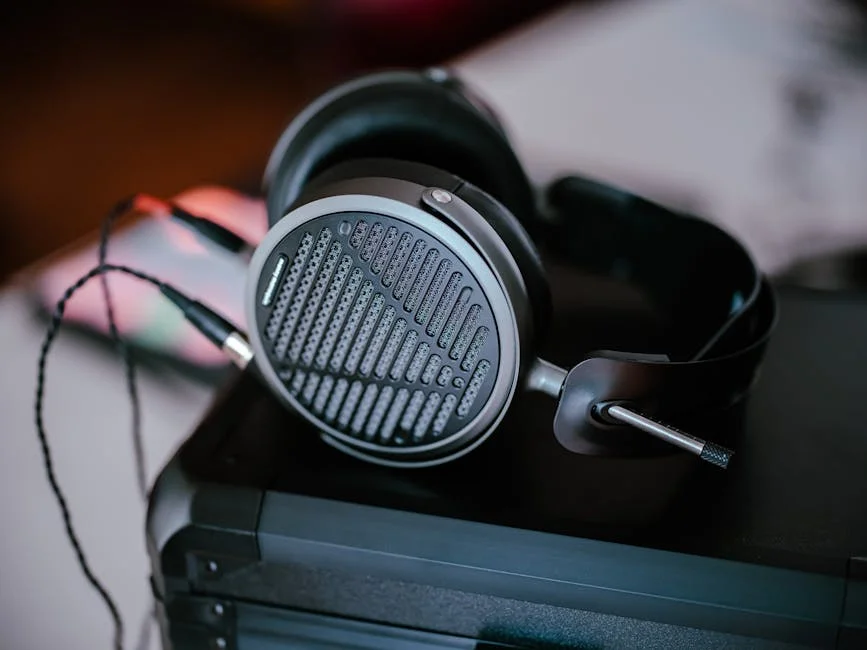
What Is a USB DAC?
A USB DAC (Digital-to-Analog Converter) is a standalone device that receives a digital audio signal over USB and converts it to an analog signal your headphones or speakers can use. The “standalone” part is key. It exists outside your computer, runs on its own power supply or USB bus power, and handles audio conversion with dedicated circuitry rather than sharing board space with your GPU, CPU, and everything else generating electrical noise inside a PC.
Most USB DACs in the hobby space connect via USB-A to USB-B or USB-C cables. They output analog signal through RCA, 3.5mm, or balanced connectors depending on the unit. Many include a headphone amplifier in the same chassis (a DAC/amp combo), though separates are common at mid and premium tiers.
The practical appeal is straightforward: you’re pulling the audio conversion stage entirely out of the electrically noisy environment of your computer case.
If you’re just starting to research this category, the Audiophile Basics hub on this site has solid grounding on signal chain concepts worth reading alongside this piece.
What Is a Sound Card?
A sound card is an audio interface that lives inside your computer, typically installed in a PCIe slot on a desktop motherboard. It handles the same basic function as a DAC: digital-to-analog conversion. The difference is physical placement and, by extension, the noise environment it operates in.
Internal sound cards from brands like Creative Labs and ASUS ROG have been the traditional upgrade path for PC gamers who want better audio than the motherboard’s onboard chip provides. Many include their own DAC chips, headphone amplifiers, and surround processing software. Some higher-end models add shielding to combat electromagnetic interference from neighboring components.
There’s also a category called USB sound cards, which are sometimes marketed as sound cards but are functionally external DACs. These are small, bus-powered dongles that connect via USB. They’re worth distinguishing from both true internal sound cards and proper desktop USB DACs, since they occupy a different tier in terms of component quality and output power.
USB DAC vs Sound Card: The Real Differences
Noise Floor and Electrical Isolation
This is where the gap is most measurable. Internal sound cards share a chassis with components that generate significant electrical interference, and even well-shielded PCIe sound cards generally measure a higher noise floor than comparably priced external USB DACs.
External USB DACs sidestep this entirely. They receive a clean digital signal over USB, convert it in an isolated chassis, and output analog from a physically separate environment. For headphone listeners especially, where you’re often listening at high sensitivity in a quiet room, the noise floor difference can be audible at higher volume settings.
Driver Stability and OS Compatibility
Internal sound cards typically rely on proprietary Windows drivers. On macOS, driver support for most internal sound cards ranges from limited to nonexistent. USB DACs that are USB Audio Class 2 compliant are driverless on macOS and most modern Linux distributions, and generally stable on Windows as well.
For anyone on a Mac or running a mixed-OS environment, this is a practical dealbreaker for internal sound cards in most cases.
Portability and Flexibility
A USB DAC moves with you. Plug it into a laptop at a coffee shop, run it off the same Mac mini at your desk, carry it to a friend’s setup. An internal sound card is tied to one machine and requires physical reinstallation to change hosts. For anyone who works across multiple systems or values a flexible setup, the external DAC wins this category without much argument.
When a Sound Card Still Makes Sense
The honest answer is that for most headphone-focused desktop audio users in 2024, an internal PCIe sound card is rarely the better choice compared to a dedicated external DAC. The exceptions tend to be specific use cases: PC gamers who depend heavily on surround virtualization software that’s tied to proprietary sound card ecosystems, or users who already have a sound card installed and are weighing whether to replace it.
For new desktop builds and anyone prioritizing audio quality, measurement data, and flexibility, the published measurements point toward external USB DACs.
Buying Guide: Choosing the Right USB DAC for Your Setup

Know What You’re Driving
The single most important variable before picking a DAC is the headphone you’re pairing it with. Dynamic drivers like the HD600 are relatively efficient and don’t demand massive power from an amplifier. Planar magnetics are a different story: they generally need more power and benefit more from a capable amplifier than most dynamic drivers.
If you’re driving a planar magnetic headphone, prioritize a DAC/amp combo with enough output power, or plan for a separate amp downstream. If you’re driving sensitive IEMs, noise floor becomes your primary concern rather than raw output.
Output Type Matters More at Certain Tiers
Budget USB DACs almost universally output via RCA and 3.5mm unbalanced. That’s fine for most beginner setups. As you move into mid-range territory, balanced outputs (4.4mm Pentaconn or XLR) become available and start to matter if your amplifier supports balanced input.
At the budget tier, don’t stress about balanced vs. Unbalanced. Focus on measured performance (SINAD, noise floor, distortion) rather than output topology. The audiophile basics resources at /learn/ cover output types and signal chain concepts in more detail if you want to go further on this topic.
DAC/Amp Combos vs. Separates
For most budget buyers, a DAC/amp combo is the practical starting point. You reduce cable complexity, cost, and desk space. Separates give you more flexibility to upgrade individual components independently, but they add cost and complexity.
Upgrading your DAC in isolation rarely produces the gains beginners expect compared to addressing amplification or headphone selection first.
USB Implementation and Jitter
One spec that doesn’t get enough attention at the budget tier is USB input implementation. A DAC can measure beautifully in ideal conditions but perform worse in real-world USB environments with noisy host computers. Look for units that use asynchronous USB modes and have published measurements under realistic conditions.
This is not a reason to spend extra on USB “conditioning” accessories at the budget tier. Functional shielding and correct connectors are sufficient; audible improvements from cable upgrades at this level are not reliably documented.
Sampling Rate and Format Support
DSD, PCM768kHz, MQA: these specs dominate product listings and can intimidate new buyers. The practical reality is that your listening experience on Qobuz, Tidal, or local FLAC files will not be meaningfully different at 24/96 vs. 24/192 on a properly implemented DAC. Format support matters if you have a specific use case requiring it, not as a general quality indicator.
Spec chase in this area is one of the more common beginner traps.
Top Picks
Topping E30 II Hi-Res Audio DAC AK4493S DSD512 PCM768kHz
The Topping E30 II is a budget desktop DAC option with strong published measurements per dollar.
Spec data shows USB, coaxial, and optical inputs, which gives a desktop setup flexibility most budget DACs skip.
The trade-offs are real but expected at this price band. There’s no balanced output (RCA only), and no remote control. For a desktop system where you’re adjusting volume at the amplifier anyway, neither is a meaningful limitation.
It suits a first desktop headphone system built from measurement-verified foundations rather than marketing claims.
Check current price on Amazon.
iFi Zen DAC 3 Desktop Digital Analog Converter Black Stealth
The iFi Zen DAC 3 occupies a slightly different position in the budget DAC conversation. Where the Topping E30 II wins on raw measurements, the Zen DAC 3 wins on features and ecosystem.
The PowerMatch variable gain feature is genuinely useful for headphone listeners who switch between sensitive IEMs and harder-to-drive over-ears. The British audio pedigree and iFi’s approach to analog warmth versus measurement-neutral design is a real product philosophy difference, not just marketing.
The honest caveat: on measurements alone, Topping’s units generally lead iFi’s Zen DAC line at equivalent price points. If your buying framework is primarily measurement-driven, the Topping stack is the cleaner choice.
Feature marketing from iFi (TrueBass, PowerMatch branding) can genuinely confuse beginners. It’s worth reading a plain-language breakdown before you buy if you’re new to the hobby.
Check current price on Amazon.
Closing Thoughts
The USB DAC vs sound card question resolves pretty clearly for most listeners building a desktop headphone setup in 2024. Electrical isolation, driver stability, portability, and measurement performance all favor external USB DACs at every price band where comparisons are meaningful. Internal sound cards retain a use case for specific gaming-oriented surround ecosystems, but for headphone audio quality as the primary goal, they’re not the recommended path.
At the budget tier, both units covered here represent strong starting points for different buyer priorities. The Topping E30 II is the measurement-first recommendation. The iFi Zen DAC 3 is the feature-first recommendation. Neither requires you to spend beyond the budget band to get genuinely good audio performance.
For more foundational audio concepts and gear guidance, the Audiophile Basics section at /learn/ is a solid place to keep building context around the decisions you’re making.
Frequently Asked Questions
Is a USB DAC better than a sound card for headphones?
For most headphone-focused desktop setups, yes. External USB DACs physically separate the conversion stage from the electrically noisy interior of a computer, resulting in lower measured noise floors. Published measurements generally show even budget external DACs outperforming internal sound cards at similar price points on key metrics. Driver stability and macOS compatibility are additional practical advantages for external units.
Do I need a separate amplifier with a USB DAC?
It depends on your headphones. Many budget USB DACs include a built-in headphone amplifier sufficient for efficient dynamic-driver headphones. Planar magnetic headphones, which generally have lower sensitivity and higher power requirements, benefit more from dedicated amplification. Pairing a standalone DAC with a separate amp becomes more meaningful as headphone impedance and planars are involved. For IEMs and most dynamic drivers, a quality combo unit handles output demands adequately.
Can I use a USB DAC with a laptop or Mac?
Yes, and this is one of the practical advantages of USB DACs over internal sound cards. USB Audio Class 2 compliant DACs are plug-and-play on macOS and most Linux distributions with no driver installation required. The Mac mini M1 and modern MacBooks work without issue with the vast majority of current USB DACs from established brands.
Does audio format support (DSD, MQA, high sample rates) affect sound quality?
For practical listening on streaming services and standard hi-res FLAC files, the answer is generally no at the level most listeners can detect. Format support matters for specific use-case requirements, not as a general indicator of audio quality. Prioritize measured performance metrics over headline spec numbers.
What is the difference between a USB DAC and a USB sound card dongle?
The terminology overlaps and confuses even experienced buyers. True USB sound card dongles are typically small, bus-powered adapters that provide basic headphone output from USB. Desktop USB DACs use higher-quality components, dedicated power regulation, and more robust DAC chip implementations. The dongle form factor is practical for laptop portability, but for a stationary desktop system, a desktop USB DAC is the recommended investment.
Where to Buy
- Topping E30 II Hi-Res Audio DAC AK4493S DSD512 PCM768kHzSee price on Amazon
- iFi Zen DAC 3 Desktop Digital Analog Converter Black StealthSee price on Amazon